KuluFlow

Building material costs by site

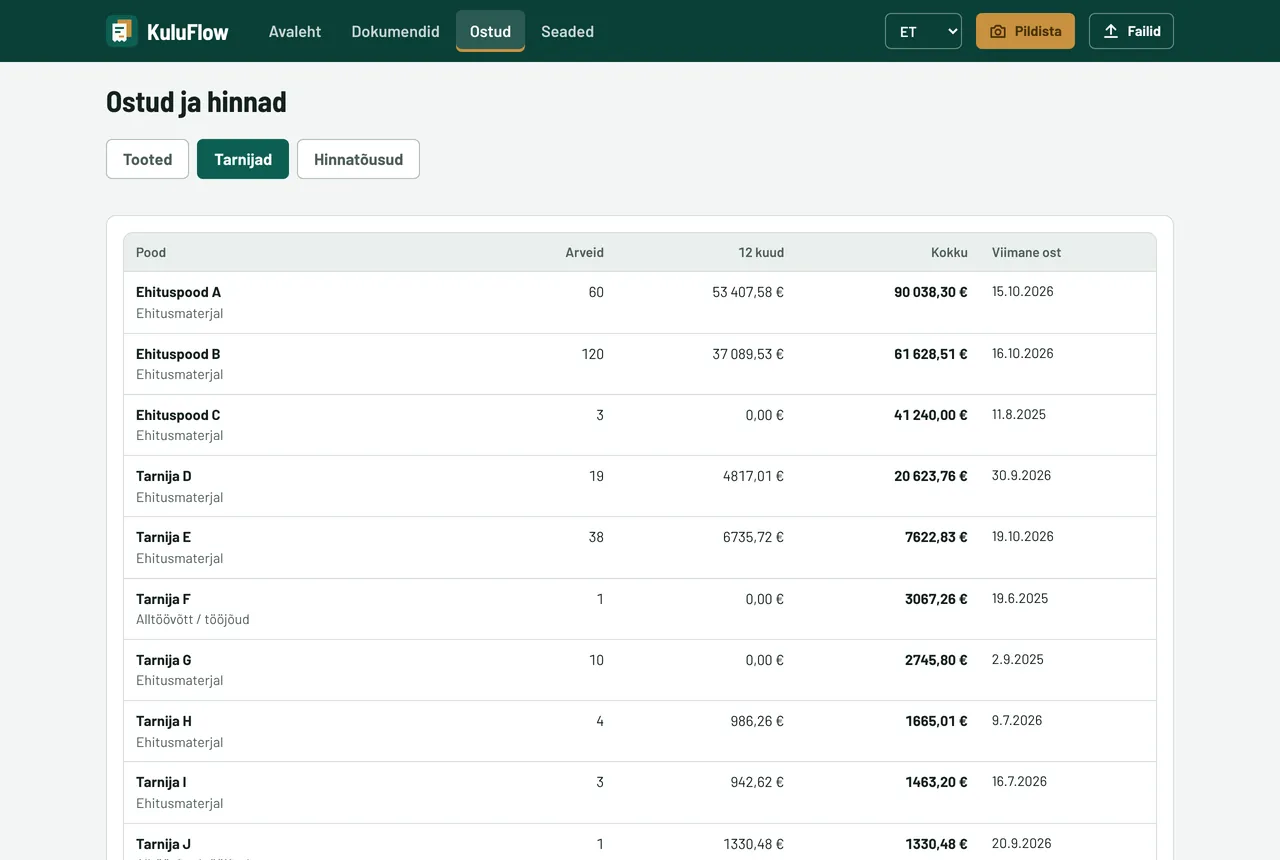
KuluFlow reads building store invoices from your mailbox, books materials to the right site and splits costs by type. See what a product costs in different stores and which prices went up recently – without an Excel sheet.

Price
€29 + VAT a month per company
Sites
unlimited
For Siteo users
€16 a month
Trial
first month free

No card needed. Works without Siteo too. Screenshots show the Estonian interface, but the app also works in English.
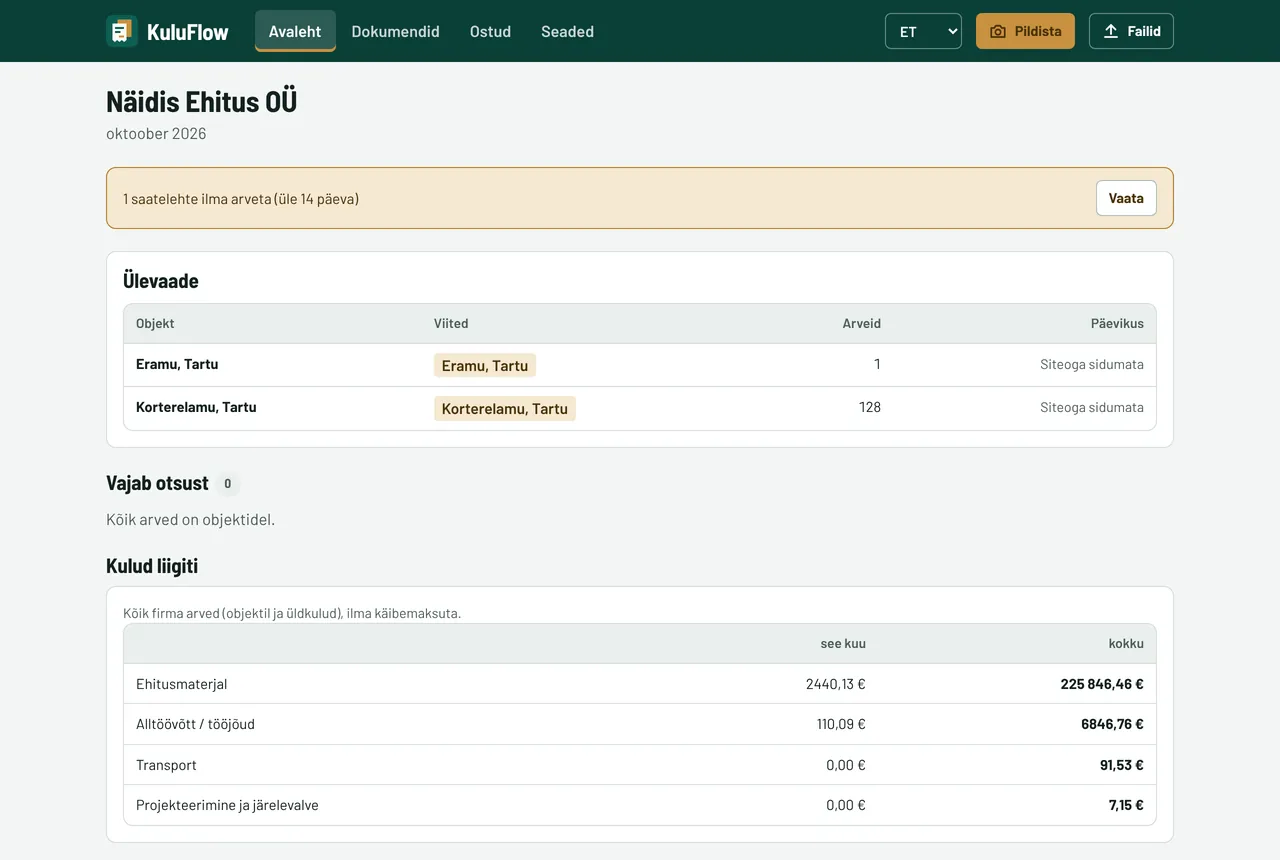
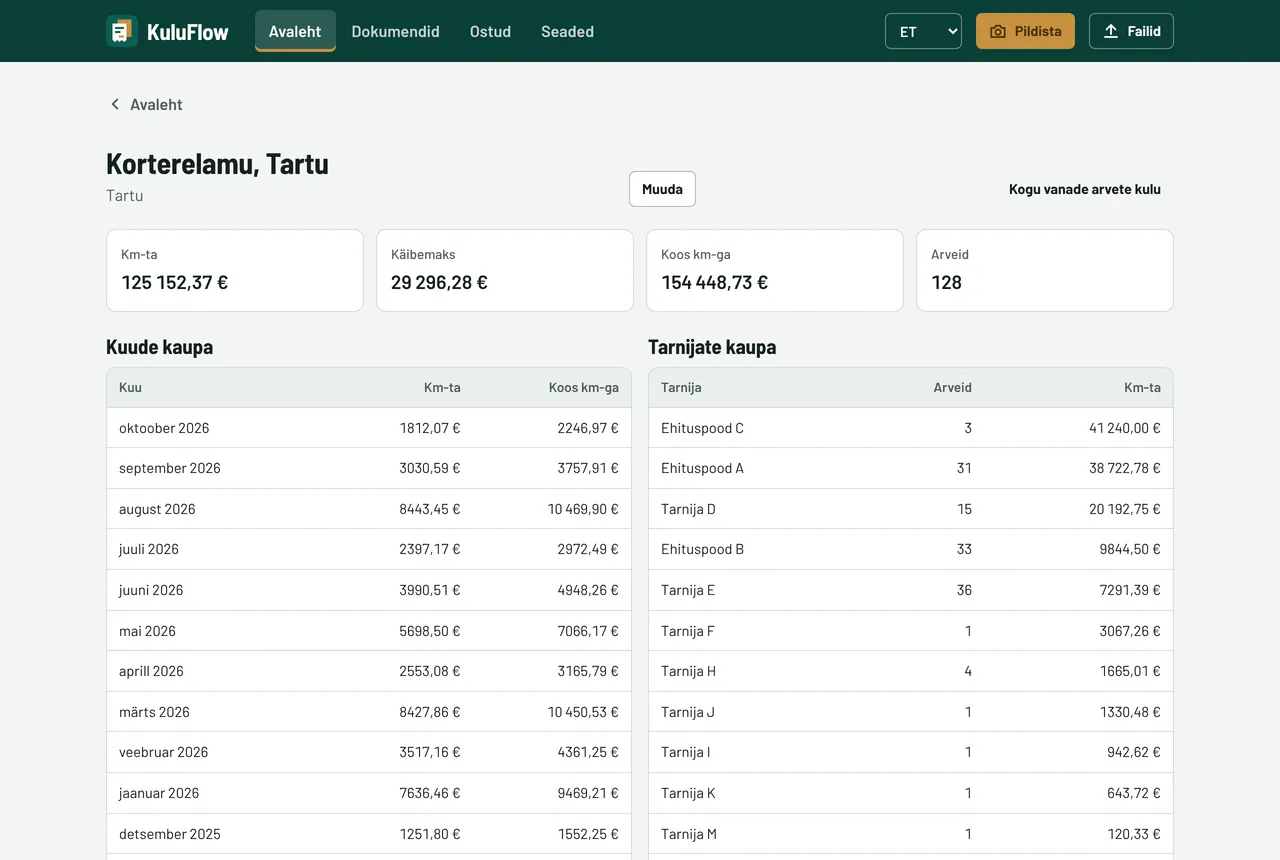
KuluFlow home on a computer: sites and costs by type

Invoices to sites, costs by type, prices compared

Accounting software splits costs by account. KuluFlow books every invoice line to the right site.

01

Connect your current mailbox

The app has read-only access and only picks up purchase invoices. Emails are not moved, deleted or marked as read.

02

Combined invoices for several sites

Lines are split between sites by reference. It only asks about new references.

03

Photograph the delivery note

Paper delivery notes or invoices can be photographed on site.

04

Site references read automatically

“Objekt” (site), “Viide” (reference), address or customer name. Kase 5 and Kase 15 don't get mixed up.

05

Goods by date

Everything bought for each site, with search and CSV for accounting.

06

Delivery notes without invoices

See goods that were delivered but not yet invoiced.

07

Costs against budget

Set a materials budget for a site and see what percentage of it has been spent.

08

Costs by type

Materials, subcontracting, equipment hire, transport, waste or overheads.

09

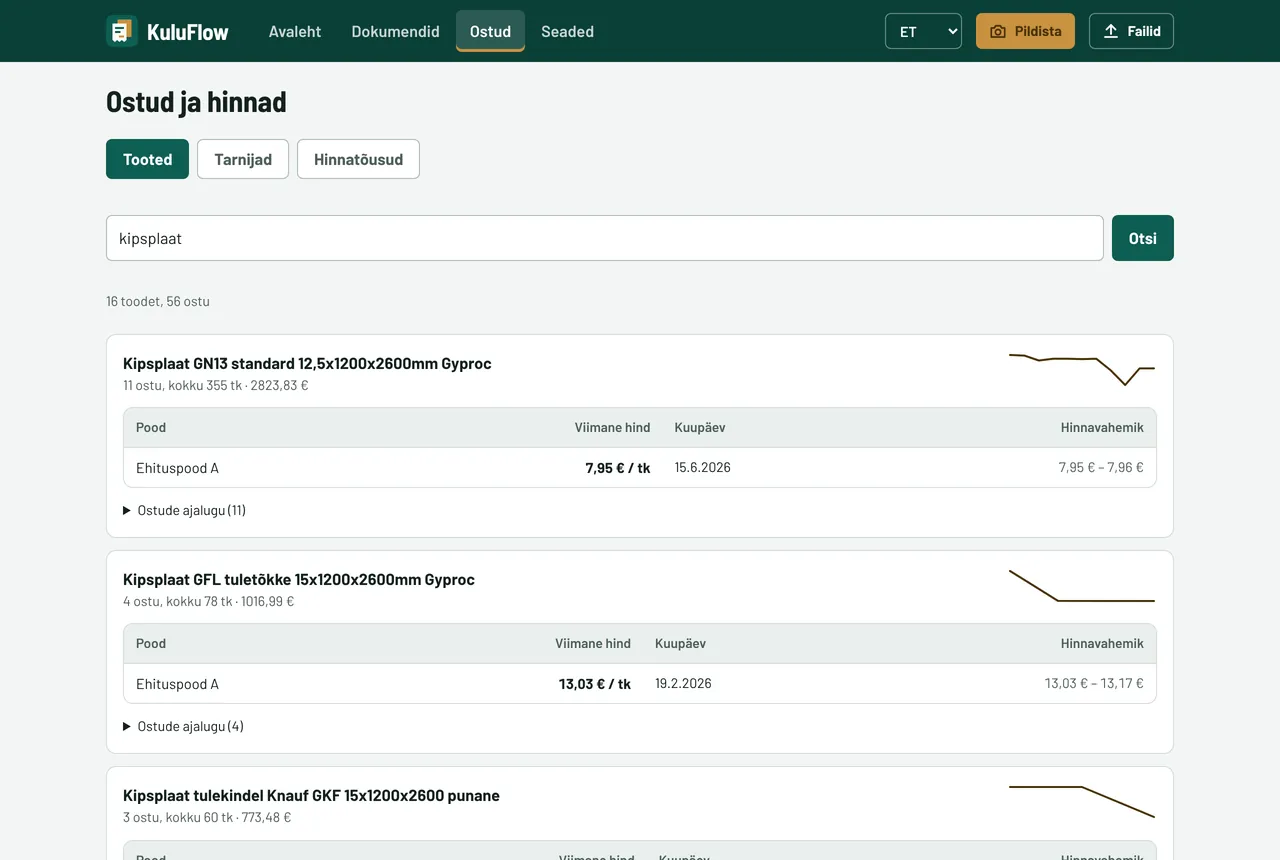
Product search

Search all invoice lines, e.g. “45x195” or “plasterboard”, and see store, quantity and price.

10

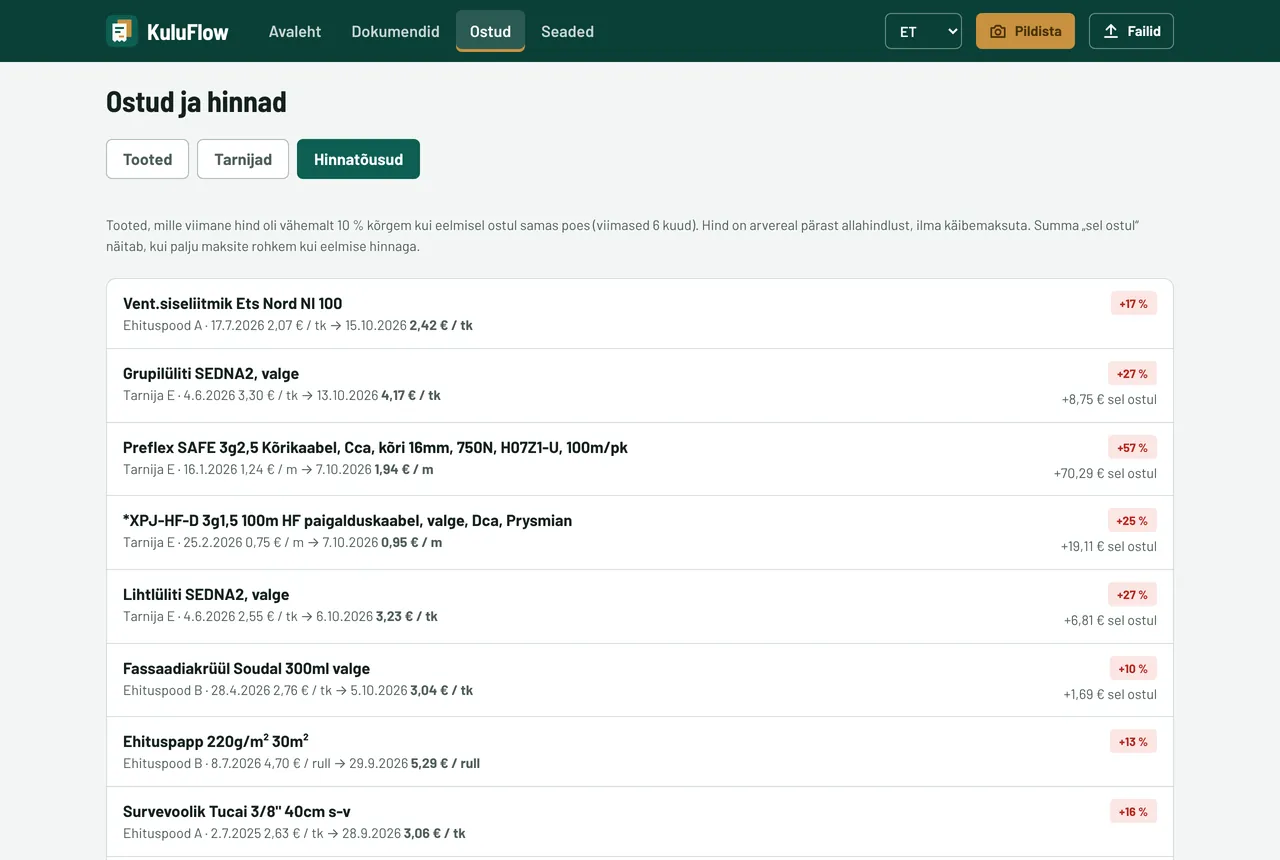
Price rise alert

If a product is at least 10% more expensive than last time, you see it along with how much extra you paid.

11

Payment reminders

Choose how many days before the due date you're reminded. Mark an invoice paid with one click.

12

Agreed prices

Upload a store's price list. KuluFlow tells you if an invoice price is higher.

What it looks like

Screenshots come from a demo company based on real invoices from an Estonian construction company. Store names have been replaced and amounts changed.

Four steps, about ten minutes

01

Create an account

Company name, email and password.

02

Connect your mailbox

Connect the mailbox invoices go to, or forward them to your KuluFlow address.

03

Add sites

Name and address. You can also create a site from an invoice with one click.

04

See site costs

If a reference is new, the app asks once. After that everything goes to the right site.

Priced per company, unlimited sites

First month free, no card needed.

Costs only
KuluFlow
€29 + VAT a month
  • Invoices from your mailbox and photos
  • Costs by site and type
  • Price rises and product search
  • CSV for your accountant
Try a month free
Cheaper together
Companies with up to 10 workers
Bundle
€35 + VAT a month
  • KuluFlow
  • Time tracking for up to 10 workers
  • Site diary and certificates for up to 5 sites
Try for free
Companies with 11–30 workers
Bundle Pro
€55 + VAT a month
  • KuluFlow
  • Unlimited time tracking
  • Site diary, unlimited sites
Try for free

For Siteo users KuluFlow costs €16 a month + VAT.

Marko Toomik

I built Siteo around what a site actually needs. I worked as a site manager for eight years, and we use these tools ourselves every day.

Marko Toomik, Normrise OÜ. A real person answers, usually the same day: info@seadusta.ee

✓ Estonian company✓ Data stored in Estonia✓ No card needed for the trial✓ Small changes made free of charge

Frequently asked questions

Where does KuluFlow get invoices from?

Three ways: connect the mailbox your invoices go to; forward invoices to your KuluFlow address; or upload a PDF or photo yourself. XML e-invoices are read too.

Which stores' invoices does KuluFlow read?

Tested with real invoices from Karl Bilder, Decora, RAIT, Optimera, Esvika Elekter, Cramo and Onninen. Other stores' invoices are read the same way.

Does the app read all my email?

No. It only looks at emails with a PDF or XML attachment that come from a supplier or contain the word “arve” (invoice). Other emails are not stored. You can disconnect at any time.

What if an invoice has no site reference?

The app asks “Which site?” and suggests up to three. Answer with one click and it remembers.

Does it work with Siteo?

Yes, but Siteo isn't required. Used together, goods from delivery notes go to the site diary and time-tracking hours to the site's costs.

How do I get the data to my accountant?

Each site's invoices and invoice lines can be downloaded as CSV, and all invoices as one ZIP.

See what a month at a construction company looks like

The demo company has 3 sites, 8 workers and 4 weeks of work. Click around freely – everything resets every night.